Have you ever made a trade in Blox Fruits and walked away feeling like you got ripped off? You’re not alone. Thousands of players lose valuable fruits every day because they don’t know what their items are actually worth.
That’s exactly where a Blox Fruits trade calculator comes in. This tool helps you check the real value of any trade before you accept it — so you never get scammed again.
By the end of this guide, you’ll know exactly how to use a Blox Fruits calculator, understand what demand means, read Win/Fair/Loss verdicts, and trade with real confidence.
What Is a Blox Fruits Trade Calculator?
A Blox Fruits trade calculator is a free online tool that compares the value of items in a trade. You enter what you’re giving and what you’re getting. Then the calculator tells you if the deal is fair, a win for you, or a loss.
Most calculators pull their data from community-sourced value lists updated regularly by experienced Blox Fruits traders. So the values you see reflect what real players are actually trading right now. Always check that your chosen tool was updated recently — a stale value list is worse than no list at all.
Why You Need One Before Every Trade
New players often rely on guesswork or trust strangers in-game. That’s a bad idea. The Blox Fruits trading market shifts fast — a fruit that was top-tier last month might be worth less now. A trade calculator removes the guesswork. It only takes about 60 seconds to check a trade. Those 60 seconds can save you hundreds of hours of farming.
How to Use a Blox Fruits Trade Calculator (Step-by-Step)
Step 1: Open the Calculator
Search for a Blox Fruits trade calculator on Google or go directly to a trusted community site. Make sure the tool shows a last updated date so you know the values are current.
Step 2: Add Your Items (What You’re Giving)
Find the search box or dropdown for Your Side or You Give. Type the name of your fruit, item, or game pass. Select it from the list. The calculator will show its current value automatically.
Step 3: Add Their Items (What You’re Getting)
Now do the same for the other side of the trade. Enter everything the other player is offering — fruits, Robux items, or passes. Most calculators let you add multiple items at once.
Step 4: Read the Verdict
Once both sides are filled in, the tool will show a verdict: Win, Fair, or Loss. Some calculators also show a percentage difference — like You’re getting 85% value or You’re overpaying by 20%.
Step 5: Decide and Trade (or Walk Away)
Use the verdict as a guide, not a final law. If it says Fair or Win, you’re in good shape. If it says Loss, try to negotiate or find a better deal.
Understanding Demand in Blox Fruits Trading
Demand is one of the most important factors in any trade. Even if a fruit has a high base value, low demand means fewer people want it — so it’s harder to trade away. Think of it like this: a rare item nobody wants is worth less than a common item everyone needs.
- Very High Demand: Everyone wants it right now — easy to trade at full value.
- High Demand: Popular in the community — trades smoothly at good value.
- Medium Demand: Moderate interest — may need to add extras to close a deal.
- Low Demand: Few players want it — hard to trade, expect lower offers.
- Very Low Demand: Almost no interest — may sit in your inventory a long time.
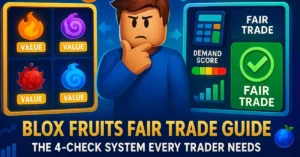
Most calculators show demand as a number (1–10) or a label. Always check demand before a trade — not just the raw value.
How to Read Win, Fair, and Loss Verdicts
- Win: You’re getting more value than you’re giving. This is a good trade for you.
- Fair: Both sides are roughly equal in value. This is a clean, honest trade.
- Loss: You’re giving more than you’re getting. Think carefully before accepting.
Common Mistakes Beginners Make With the Calculator
Using an Outdated Value List
Blox Fruits values change every week. If your calculator hasn’t been updated in 30+ days, the numbers could be way off. Always check the last update date on the site.
Ignoring Demand Completely
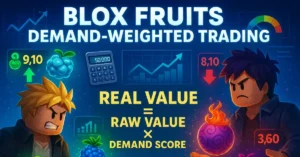
A fruit with a value of 10,000 but demand of 2/10 is harder to flip than a fruit worth 7,000 with demand of 9/10. Value and demand work together — never look at just one.
Trusting Screenshots Over Live Checks
Some scammers share fake calculator screenshots. Always run your own check in real time. Don’t rely on what someone else shows you.
Forgetting Game Passes and Accessories
Fruits aren’t the only tradeable items. Game passes and accessories have value too. Make sure you’re including all items on both sides of the trade in your calculation.
Real Trade Example: Using the Calculator in Action
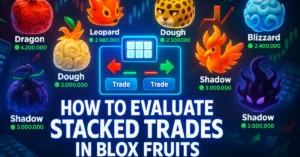
Suppose someone offers you their Dragon fruit in exchange for your Leopard and a game pass. You open the trade calculator and add Leopard and Game Pass (2x Mastery) on your side. Then you add Dragon on their side. The calculator returns a Loss verdict of -18%. That means you’re giving 18% more value than you’re receiving. Now you know to either ask them to add something extra, or find a more balanced trade. Without the calculator, you might have just accepted it.
Tips to Get the Most Accurate Trade Evaluation
- Use multiple calculators and compare — if two or three tools agree, you can trust the result.
- Check the value list update date before every session.
- Look at demand alongside value — never skip this step.
- Include every item in the trade, even small ones like game passes or accessories.
- Join Blox Fruits trading Discord servers to stay updated on value shifts.
Frequently Asked Questions
Is a Blox Fruits trade calculator free to use?
Yes. Most Blox Fruits calculators are completely free. They’re built and maintained by the community. You don’t need to create an account or pay anything to check a trade.
How accurate is a Blox Fruits calculator?
Accuracy depends on how recently the value list was updated. Good calculators are updated weekly by experienced traders. For the most reliable results, cross-check two or three tools before making a major trade.
What does demand-weighted trade mean?
A demand-weighted trade calculation adjusts item value based on how much people actually want it. High demand raises effective value; low demand reduces it. This gives a more realistic picture than raw value alone.
What should I do if the calculator shows a Loss verdict?
Don’t accept the trade right away. Try negotiating — ask the other player to add another item to balance the deal. If they refuse, it’s usually better to walk away and find a fairer offer.
Why do different calculators show different values?
Each tool uses its own community value list with different update schedules and methodology. That’s why it’s smart to check two or three calculators for big trades. Consistent results across tools are a strong signal of accuracy.